ZDNet Korea의 보도(2026년 3월 5일)에 따르면, 구글이 AI Mode에 Canvas 기능을 미국 전체 영어 사용자에게 전면 개방했습니다. "검색창이 앱이 됐다"는 표현이 과장이 아닌 시대가 온 거죠. 근데 정말로 검색창에서 문서를 쓰고 코드를 짤 수 있는 건지, 직접 써봤습니다.
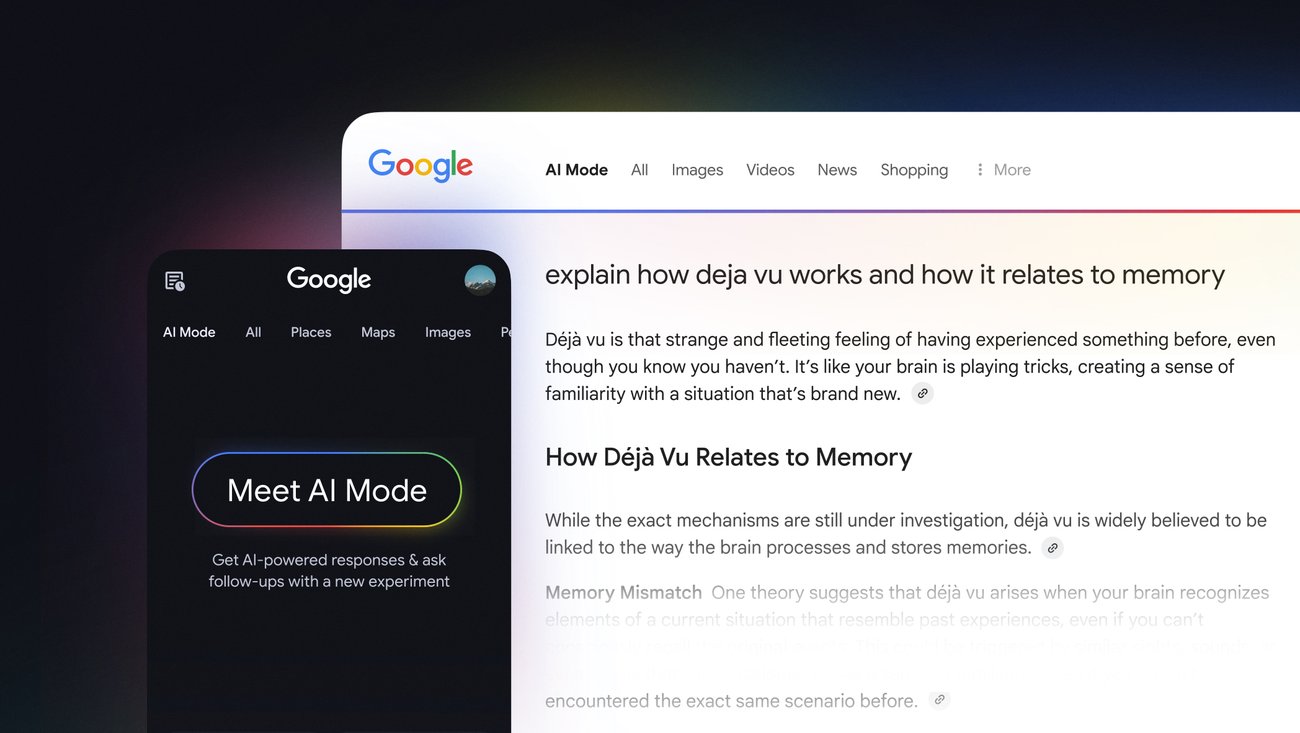
출처: Google 공식 블로그 | AI Mode의 새로운 검색 경험
TL;DR: 검색 + 작업을 한 곳에서
가설은 이랬습니다. "Google AI Mode의 Canvas를 쓰면, 검색 → 조사 → 문서 작성을 탭 전환 없이 한 번에 끝낼 수 있을까?" 결론부터 말하면, 간단한 작업은 놀라울 정도로 잘 됩니다. 리서치 보고서 초안, 퀴즈 생성, 간단한 웹앱까지. 다만 "구글 독스를 대체할 수 있나?"라고 묻는다면, 아직은 아닙니다.
실험 환경과 접근 방식
테스트 환경: Chrome 132, macOS Sequoia, Google 계정 (AI Plus 구독) 테스트 일시: 2026년 3월 14-15일 비교 대상: ChatGPT (GPT-5.4), Perplexity Pro, 기존 Google 검색 + Docs 워크플로우 Google 공식 고객센터에 따르면, AI Mode는 Gemini 기반의 '쿼리 팬아웃(query fan-out)' 기법을 사용합니다. 사용자의 질문을 하위 주제로 분해하고 여러 소스에서 동시 검색한 뒤 종합 답변을 생성하는 구조인데요. 여기에 Canvas가 붙으면서 "답변을 보는 것"에서 "답변으로 작업하는 것"으로 넘어간 겁니다.
실험 1: 리서치 보고서 초안 작성
검색창에 이렇게 입력했습니다:
2026년 AI 코딩 도구 시장 동향을 분석하는 리서치 보고서를 작성해줘. 주요 도구별 시장 점유율, 가격 비교, 개발자 만족도를 포함해줘.Canvas가 열리면서 약 15초 만에 3페이지 분량의 보고서가 나왔습니다. 좀 놀랐어요. 출처 링크도 달려 있고, 표 형식으로 비교표도 만들어줬거든요. GPT-5.4 활용법 글에서 다뤘던 팩트체킹 워크플로우와 비슷한 결과물이 검색창 하나에서 나온다니.
근데 문제가 있었습니다. 수치의 정확도. "Cursor 시장 점유율 34%"라고 나왔는데 출처를 추적해보니 2025년 4분기 데이터였어요. 최신 데이터가 아닌 경우가 종종 있었습니다.

검색창이 곧 작업 공간이 되는 시대 — Photo: Lucia Macedo/Unsplash
실험 2: 코드 생성과 앱 만들기
TechCrunch의 보도(2026년 3월 4일)에 따르면, Canvas에서는 "아이디어를 설명하면 코드를 생성해서 공유 가능한 앱이나 게임으로 변환"할 수 있다고 합니다. 진짜 되는지 테스트해봤습니다.
할 일 목록 웹앱을 만들어줘. 할 일 추가, 완료 체크, 삭제 기능이 있고 로컬 스토리지에 저장되게 해줘.약 20초 후 HTML/CSS/JavaScript로 된 완전한 투두 앱이 나왔습니다. 실제로 돌아가요. localStorage 연동까지. 코드 품질을 보니:
// AI Mode Canvas가 생성한 투두 앱 핵심 로직 (일부 발췌) const addTodo = () => { const input = document.getElementById('todoInput'); if (input.value.trim() === '') return; const todo = { id: Date.now(), text: input.value.trim(), completed: false }; todos.push(todo); saveTodos(); // localStorage에 자동 저장 renderTodos(); input.value = ''; }; 동작은 하는데, 코드 구조가 좀 투박합니다. 컴포넌트 분리 없이 전부 하나의 파일에 들어가 있어요. 프로토타이핑용으로는 충분하지만, 프로덕션 코드라고 하기엔 무리가 있습니다.
Perplexity·ChatGPT와 뭐가 다른가
같은 질문을 세 플랫폼에 던져봤습니다. "2026년 한국 AI 스타트업 투자 현황을 분석해줘."
항목 Google AI Mode + Canvas ChatGPT (GPT-5.4) Perplexity Pro 응답 시간 ~12초 ~8초 ~6초 출처 수 8-12개 (웹 검색 기반) 3-5개 10-15개 문서 편집 Canvas에서 즉시 편집 가능 별도 Artifacts 불가 코드 실행 Canvas에서 미리보기 Code Interpreter 불가 후속 질문 자연스러운 대화 흐름 자연스러움 자연스러움 내보내기 링크 공유, Docs 연동 (예정) 복사/다운로드 복사 한국어 지원 지원 (2026년 3월~) 지원 지원 핵심 차이는 검색과 작업의 통합입니다. ChatGPT는 "대화 → 결과물" 흐름이고, Perplexity는 "검색 → 답변" 흐름인데, Google AI Mode는 "검색 → 답변 → 작업 → 공유"까지 한 곳에서 됩니다.
AI 코딩 도구 비용 전쟁 글에서 다뤘듯이 AI 도구 비용이 쟁점인데, AI Mode는 Google 계정만 있으면 기본 기능은 무료라는 점이 큰 차별점이에요. AI Plus 구독($19.99/월)을 하면 Gemini 3.1 Pro 기반의 더 정교한 답변을 받을 수 있고요.

검색 → 조사 → 작성을 한 화면에서 (Photo by Vitaly Gariev on Unsplash)
실험 결과 분석: 예상과 다른 점
예상보다 좋았던 것:
리서치 보고서를 "검색 결과 + 문서화"로 한 번에 뽑아내는 속도. 기존에 구글 검색 → 탭 10개 열기 → 구글 독스 정리 하던 걸 한 화면에서 끝낼 수 있습니다 한국어 지원 품질. Google 검색 고객센터(2026년 3월 기준)에 따르면 한국어는 AI Mode의 첫 현지 언어 지원 그룹에 포함되어 있고, 실제로 한국어 쿼리에 대한 답변 품질이 꽤 괜찮았습니다 코드 생성 후 바로 미리보기가 되는 점. ChatGPT의 Artifacts와 비슷하지만, 검색 맥락이 붙어 있어서 "이 API 문서 기반으로 코드 짜줘" 같은 요청이 더 자연스럽습니다 예상보다 아쉬운 점:
Canvas에서 생성한 문서를 Google Docs로 바로 내보내는 기능이 아직 없습니다. 복사-붙여넣기 해야 해요 긴 문서(3000자 이상)를 작성하면 후반부 품질이 뚝 떨어집니다. 앞부분은 잘 쓰는데 뒤로 갈수록 반복이 늘어나요 코드 생성에서 프레임워크 선택이 제한적. React나 Vue 프로젝트는 아직 생성 못 하고, 바닐라 HTML/JS만 됩니다
이건 공식 문서에 없는 팁인데요
AI Mode Canvas를 실제로 이틀 동안 써보면서 알게 된 것들:
"~를 웹페이지로 만들어줘"라고 하면 Canvas가 자동으로 열립니다. 일반 AI Mode 답변에서는 Canvas가 안 열리는데, "웹페이지", "앱", "도구"라는 키워드를 쓰면 Canvas 모드로 전환됩니다.
멀티모달 입력이 진짜로 됩니다. 사진을 찍어서 "이 에러 메시지 해결해줘"라고 하면, 검색 + 해결책 + 코드 수정안까지 한 번에 나옵니다. 폰으로 에러 화면 찍고 AI Mode에 던지는 게 Stack Overflow 검색보다 빠를 때가 있어요.
후속 질문으로 문서를 점진적으로 개선할 수 있습니다. "이 보고서에 차트를 추가해줘", "결론 부분을 더 구체적으로" 같은 요청이 이전 맥락을 유지한 채 반영됩니다.

검색과 작업의 경계가 사라지고 있다
결론: 누구에게, 언제 쓸 만한가
Google AI Mode + Canvas는 "빠르게 조사하고 초안을 뽑아야 하는 상황"에서 가장 빛납니다. 보고서 초안, 발표 자료 개요, 프로토타입 코드 같은 "80% 완성도의 빠른 결과물"이 필요할 때요.
반면 MCP로 AI 에이전트를 연결하는 글에서 다뤘던 것처럼, 복잡한 멀티스텝 워크플로우나 정교한 코드 작업은 여전히 전용 AI 코딩 도구가 낫습니다.
제 판단은 이렇습니다. 검색의 미래가 "정보를 보여주는 것"에서 "작업을 완료해주는 것"으로 넘어가고 있다는 신호. 구글이 이 방향을 밀고 있다면, 개발자로서 이 도구에 익숙해지는 게 손해는 아닐 겁니다.
참고 자료
- Google AI Mode 공식 소개 - Google 블로그 (2025년 3월 기준, 이후 지속 업데이트)
- Google Search rolls out Gemini's Canvas in AI Mode - TechCrunch (2026년 3월 4일)
- 구글 검색창이 앱이 됐다…AI 모드에 '캔버스' 전면 개방 - ZDNet Korea (2026년 3월 5일)
- Google 검색 AI 모드 고객센터 (2026년 3월 기준)
- 구글 검색: AI 모드를 이제 한국에서도 - Google Korea 블로그 (2026년 기준)
함께 읽으면 좋은 글:
- GPT-5.4 '가장 정확한 모델' 활용법: 환각 33% 감소, 실무 팩트체킹 워크플로우 만들기 - AI 모델의 팩트체킹 능력 비교
- MCP(Model Context Protocol)로 AI 에이전트 연결하기 - 더 복잡한 AI 워크플로우가 필요할 때